


Three Resources
Metal, crystal, deuterium—each with storage caps. You always know what you’re short on and why it matters.
BROWSER STRATEGY
Z-Maxion is a focused empire economy: three resources, an energy grid that punishes sloppy expansion, and upgrades that respect a single build queue. Run your colony against live timers, right in your browser.
The loop is simple to read and deep to tune—you see the whole economy at a glance, then refine it session after session.
Metal, crystal, deuterium—each with storage caps. You always know what you’re short on and why it matters.
Mines pull power; solar adds it. Misbalance efficiency and the whole grid groans—fixing that is the puzzle.
Single build queue, readable countdowns. Every upgrade is a deliberate commitment—no parallel spam, only sequencing skill.
Swap Terran, Voidborne, or Synthari skins—planet art, dock silhouettes, and UI accents retune instantly.
No lore dump—just three habits that separate stable colonies from stalled ones.
Glance resources, caps, and the energy ratio. The HUD tells you whether you’re rich, starving, or lying to yourself.
Every upgrade is a bet: more extraction, more storage, or more solar stability. Only one builds at a time—choose deliberately.
When mines outrun solar, production scales down. Chase the bounce until the numbers exhale—that’s the skill ceiling.
Three factions share the same mechanics—your choice is presentation: planet art, UI chrome, and dock silhouettes tuned to each culture.

Oceanic · disciplined fleets
Crisp teal chrome and balanced silhouettes—closest to the classic command fantasy.
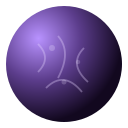
Signal-fractured · spectral
Purple depths and shards—perfect if your empire feels like listening into noise.

Forgeworld · amber industry
Rings and molten trims sell factories in orbit—fantasy for builders who stack megastructures.
Run mines, storages, solar plants, and timed upgrades from one panel—your empire state persists in this browser until you reset it.
We care about the slow burn of a sharp economy screen—capacity climbing, timers resolving, energy graphs telling you exactly when to flip the next upgrade.
Z-Maxion keeps the spotlight on that loop so mastery shows up fast: learn the grid once, then chase efficiency gains every session you play.
Gameplay, economy, and factions—answered in plain language.
Balance extraction and power: metal, crystal, and deuterium flow from leveled mines; storages cap how much you can hold; solar plants supply energy. When demand outpaces supply, mine output scales down—your job is to grow deliberately so efficiency stays high.
Mines consume energy based on their levels; solar plants produce it. If total consumption exceeds production, the game applies an efficiency factor so hourly yields shrink. Add solar—or pause mine upgrades—until used energy stays at or below what your plants generate.
Factions retune visuals: homeworld artwork, HUD accents, and dock ship art. Mechanics and costs stay shared—pick the kit that fits your taste without worrying about hidden stat traps.
Progress is stored locally in your browser via localStorage on this device. Clearing site data or using another browser starts a fresh colony until commander accounts and cloud saves ship.
Create your Z-Maxion commander profile to tie progression to your account as soon as cloud saves roll out.